
Automatic Installation (Recommended)
Step 1. Download ZIP package named alaska.zip file from Themeforest and unzip it.
Step 2. In unzipped folder you will find a folder named "Alaska Theme" and 2 archives: alaska.zip file and alaska-child.zip which are the archives for the wordpress theme and child theme of Alaska. Do not unzip them one more time.
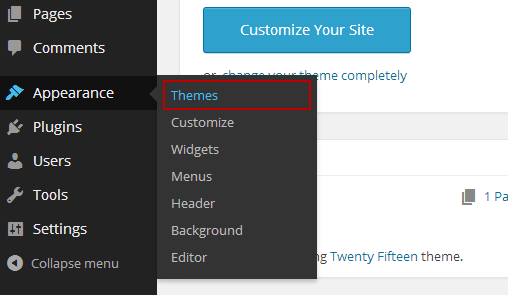
Step 3. In your Wordpress Dashboard navigate to Appearance > Themes.
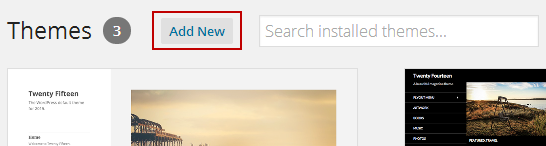
Step 4. Click on Add New, then clicking on Upload Theme and browse the alaska.zip file, finally click Install Now.
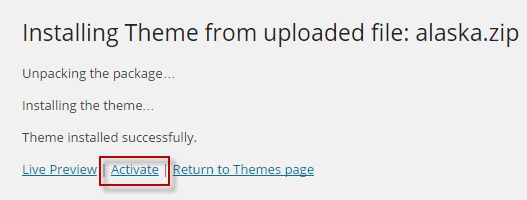
Step 5. Wait a while untill the screenshot below appears, on this form clicking on Activate link to active Alaska Theme. Theme has been installed and actived.
If you plan to edit the theme files, like style.css. I amsuggesting you to install both Alaska and Alaska Child theme, then activate the child theme. Child themes are great because allow you to edit theme and also let's you update the original theme in the future, without loosing your edited files work.
Read more about child themes and how to use them here.